Virtual tuning garage for iPhone
Mod your own car before you buy a single part.
Save your car with its make, model, year, trim and factory color, then pick one of 13 styles or choose parts one by one: paint, wheels, stance, aero, spoilers, tint, lights, exhaust, accessories and scene. ModGarage renders the mods onto your own photo and files every build with a numbered build sheet.
Coming soon to the App Store
iPhone · iOS 17 or later
- 13 styles
- 10 part categories
- 105 options
- Vehicle profile with 52 makes
- Build sheet & mod level
- Build history & compare
- 9 languages
- No ads
How it works
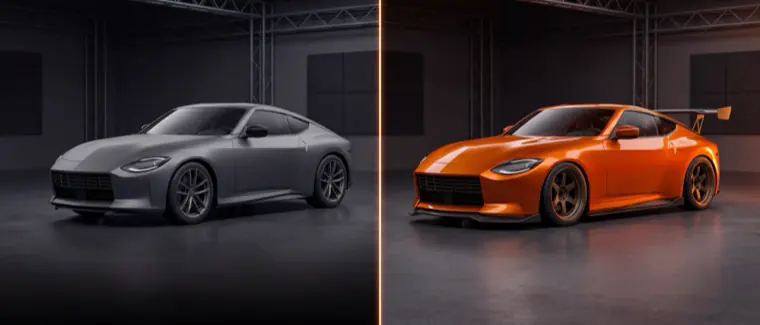
No 3D models, no photo editing skills. A photo of your car is enough.
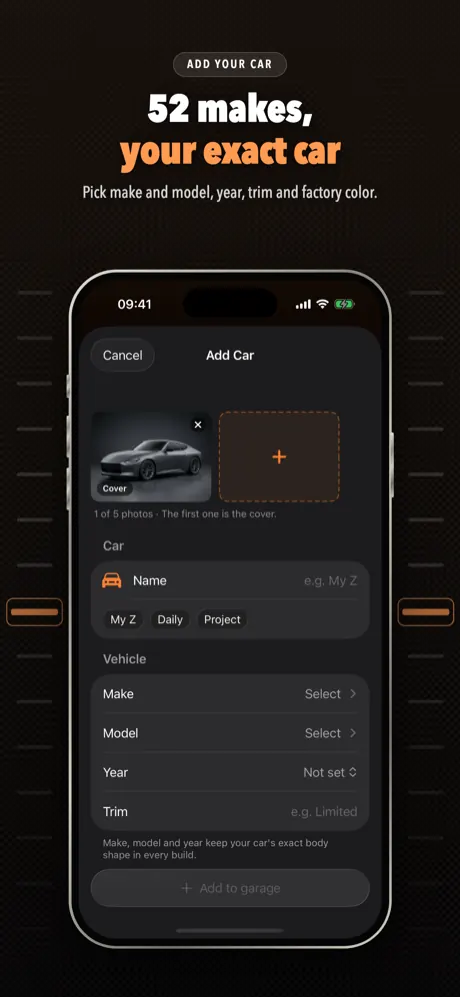
Add your car
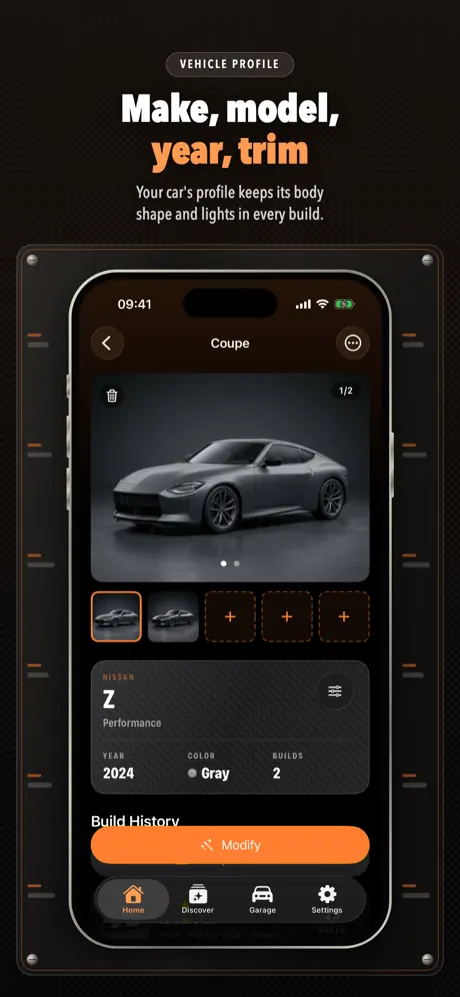
Take or pick up to 5 photos, then set the make and model from the list, the year, the trim and the factory color.
Pick a style or parts
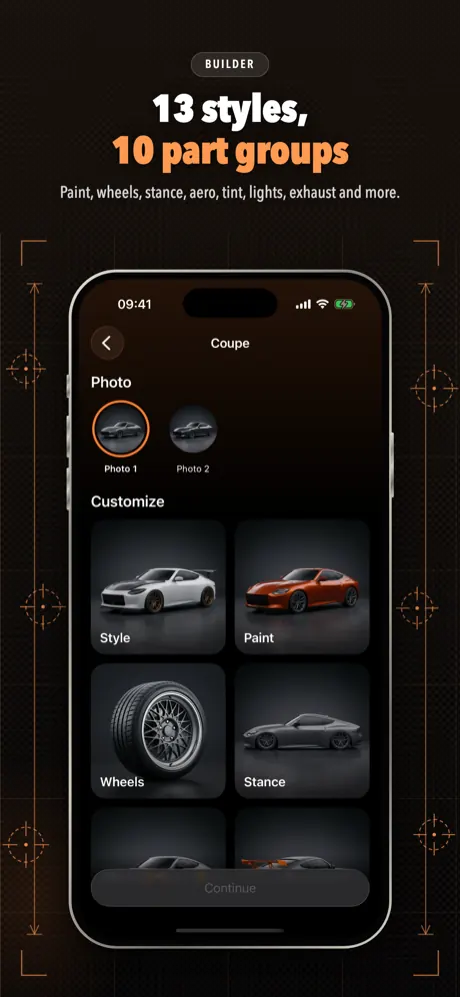
Choose one of 13 styles, or open a category and pick paint, wheels, stance, aero and more. Add a photo of a real part if you have one.
Tap Modify
Check the summary and tap Modify. The mods are rendered onto your photo, usually while you watch a spinning wheel.
Compare and keep it
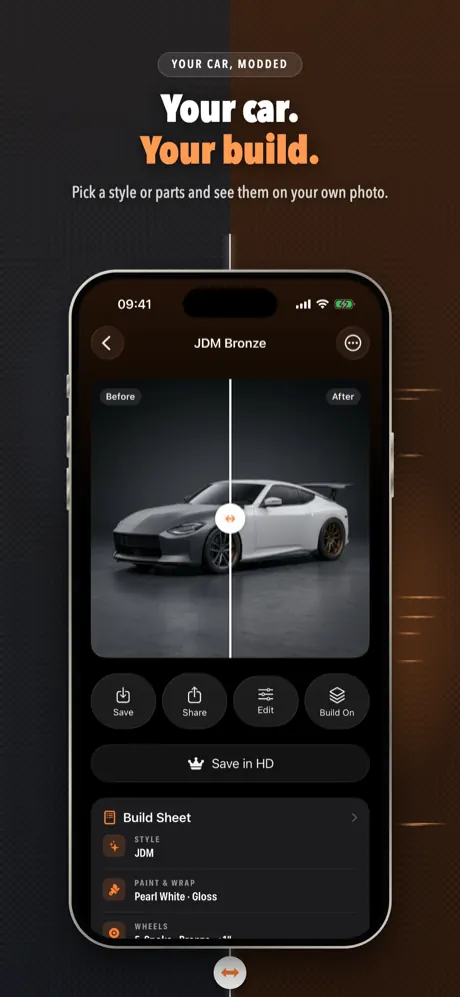
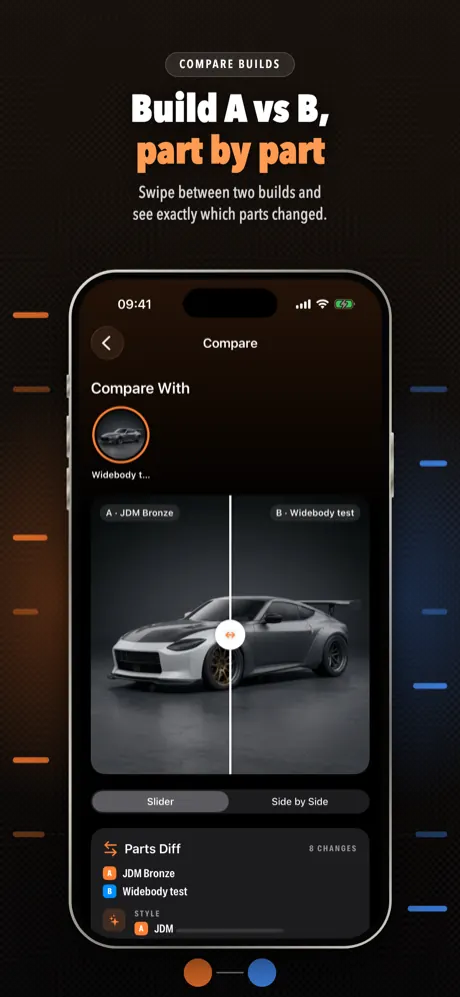
Drag the before/after slider, open the build sheet, and find the build later in the car's build history.
One photo, many builds
These images come from the app's demo car. The mods change the paint, wheels, ride height and body parts; the car itself stays recognizable.
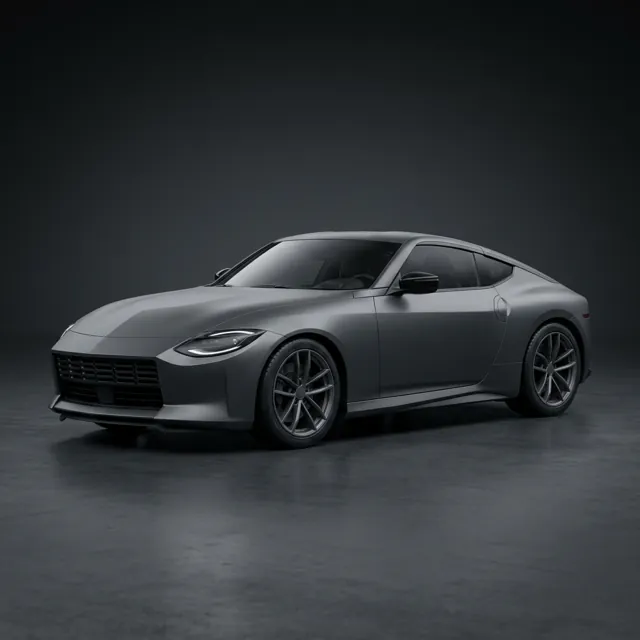
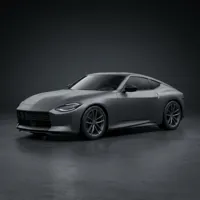
The original photo
A stock grey coupe on factory wheels, shot in a studio.
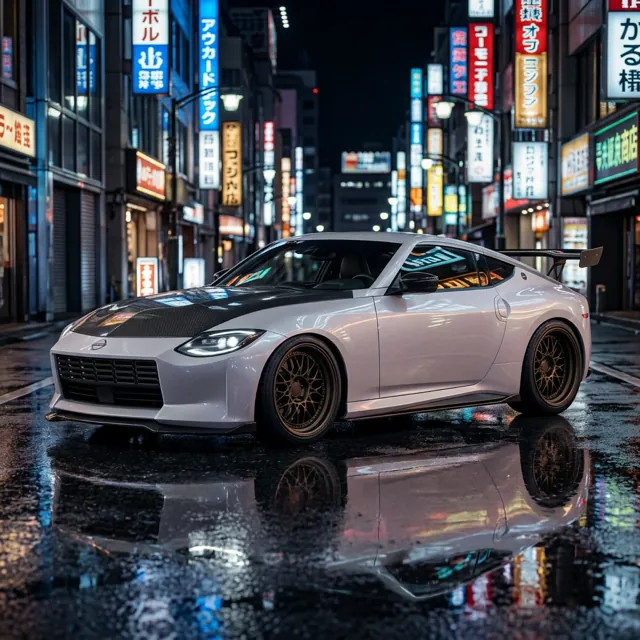
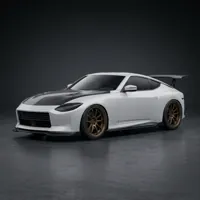
Night build
Pearl white paint, bronze multi-spoke wheels and a wet neon city street as the scene.
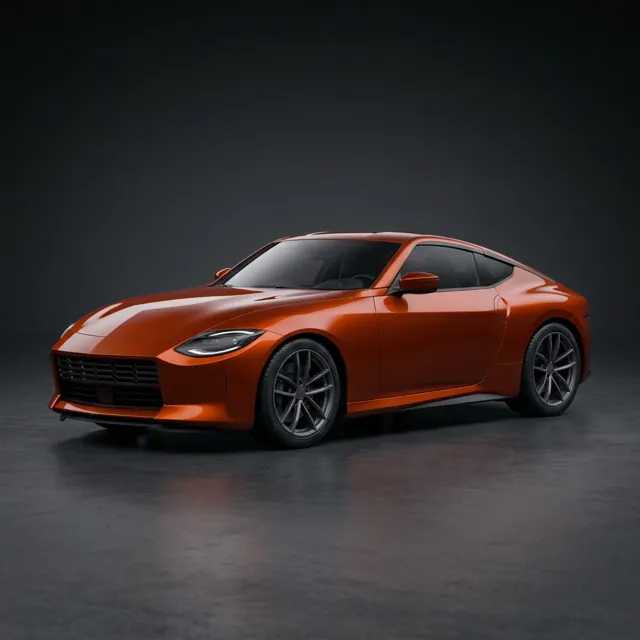
Just a repaint
Only the paint changes; the body, lights and wheels stay as they were.
13 styles
A style sets the whole look in one tap. You can still add parts on top of it.
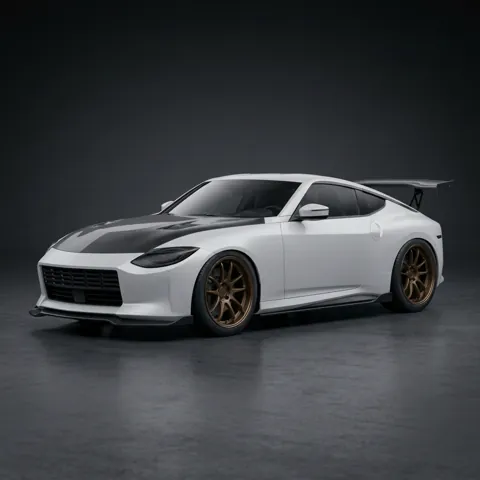
JDM
Bronze deep-dish multi-spoke wheels, an aggressive drop, front lip, side skirts, a big GT wing and a carbon hood.
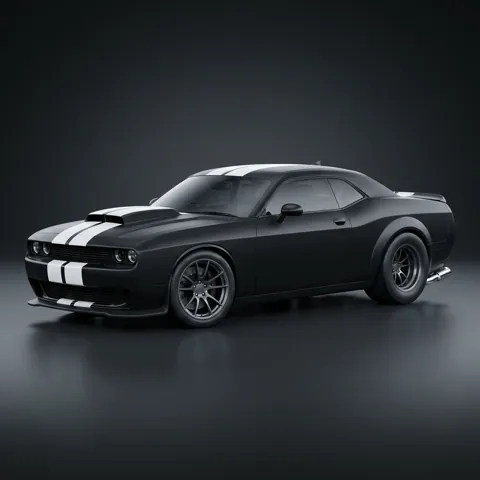
Muscle
Matte black paint, twin white racing stripes, wide rear tires, a hood scoop and chrome dual exhaust.
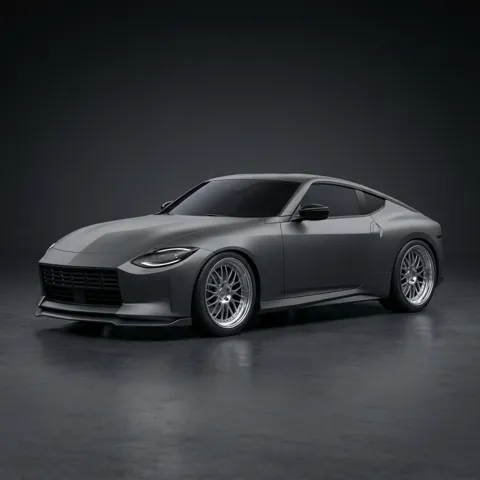
Euro Stance
Slammed air-ride stance, polished multi-spoke wheels, a subtle lip and dark tint: OEM-plus.
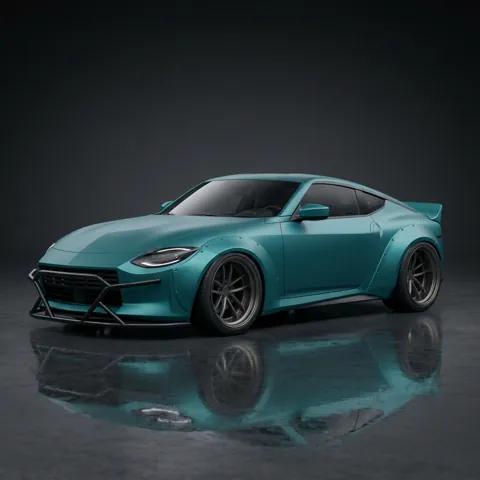
Drift
Bolt-on fender flares, negative camber, stretched tires on deep concave wheels and a ducktail.
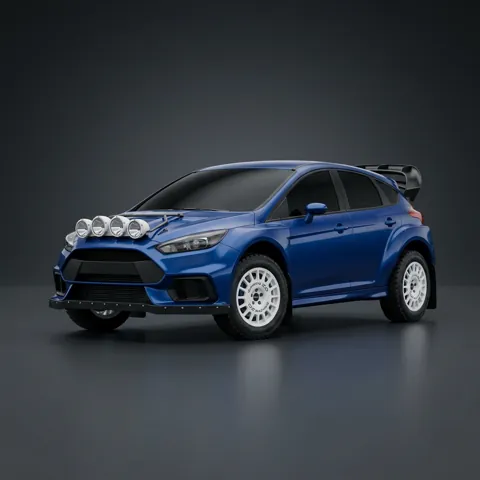
Rally
Raised gravel suspension, white rally wheels, mud flaps and four spot lights on the hood.
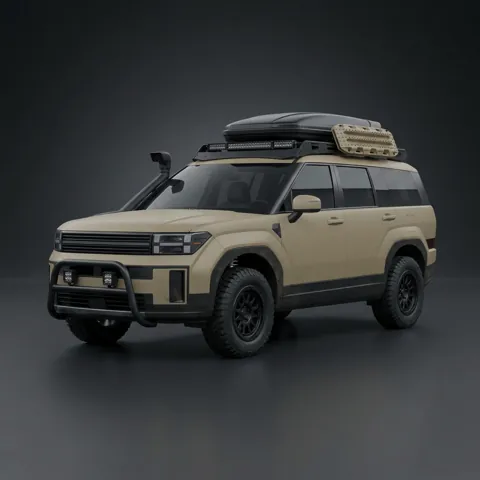
Off-road
Lifted, mud-terrain tires, a roof rack with cargo box, snorkel, bull bar and LED light bar.
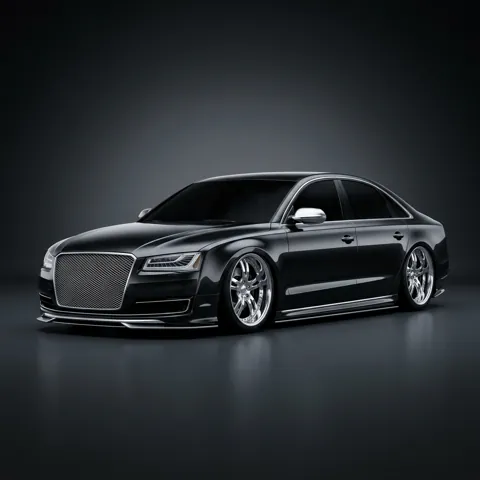
VIP
Slammed, large chrome multi-spoke wheels, very dark tint and chrome trim.
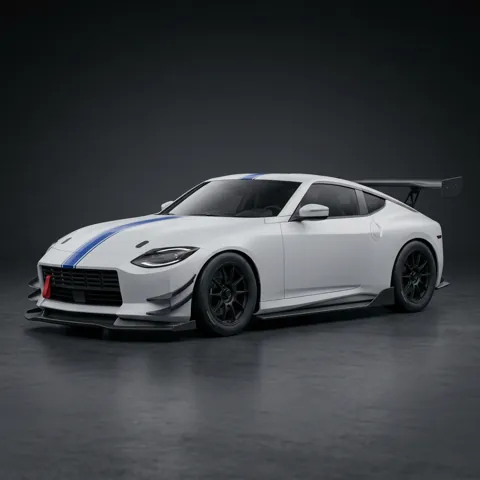
Track
Big splitter, canards, chassis-mount wing, diffuser and center-lock wheels on slicks.
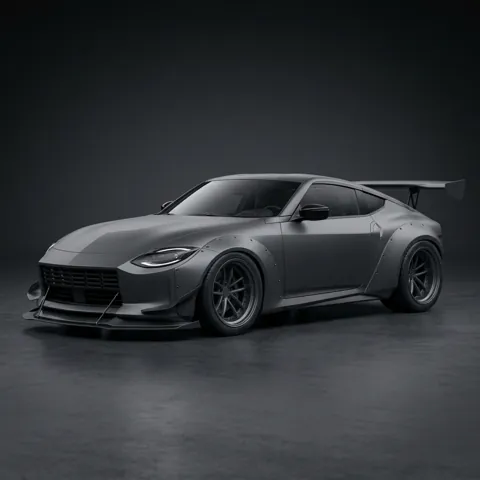
Widebody
Riveted fender flares, very deep concave wheels, a huge wing and satin grey paint.
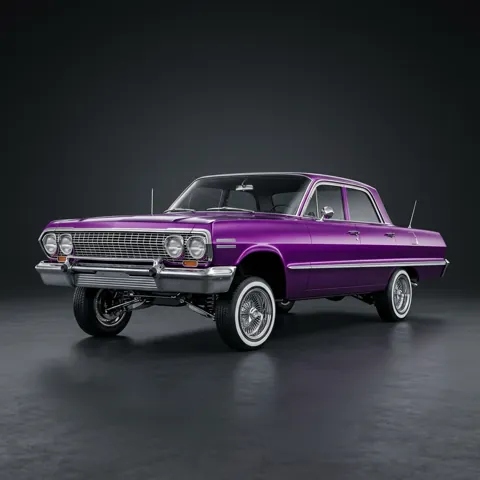
Lowrider
Candy paint, chrome wire wheels with whitewalls and hydraulics lifting the front.
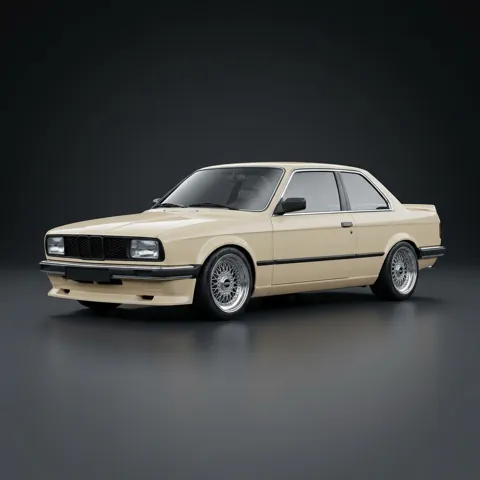
Restomod
Period cream paint, deep-dish mesh wheels, chrome bumpers and a subtle drop.
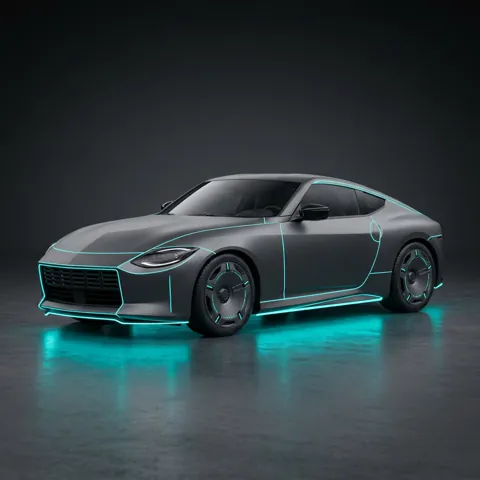
Cyberpunk
Black paint, cyan underglow, thin neon lines along the body and aero disc wheels.
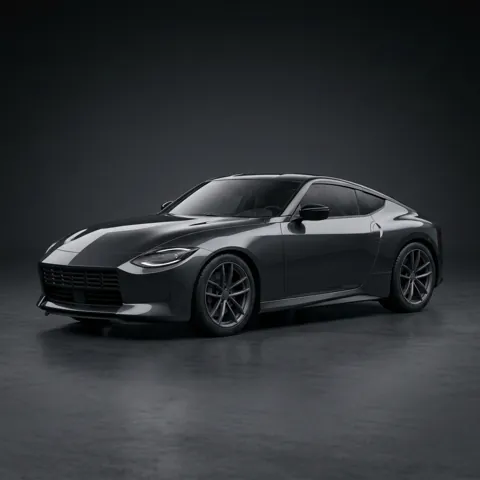
Clean
Completely stock, freshly detailed: mirror-gloss paint and spotless wheels.
10 part categories, 105 options
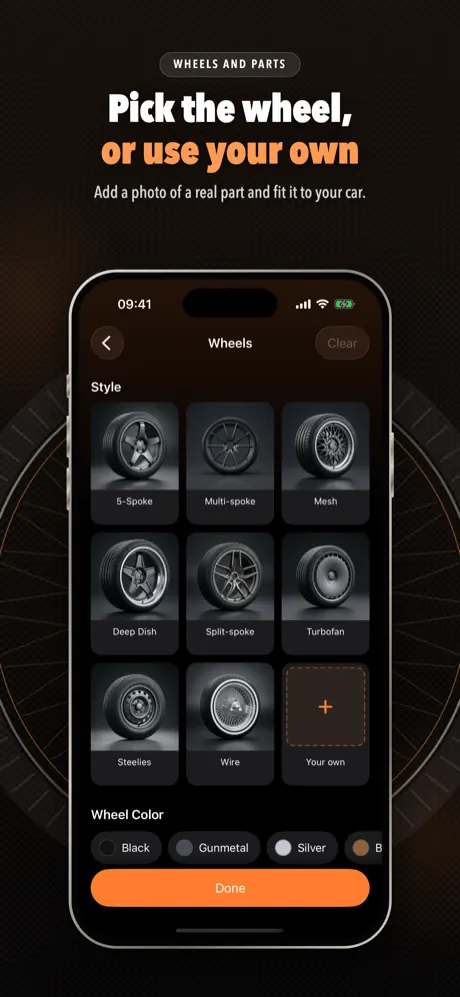
Pick as many parts as you like. In most categories the last tile is +: add a photo of a real wheel, spoiler or other part and ModGarage fits it to your car.
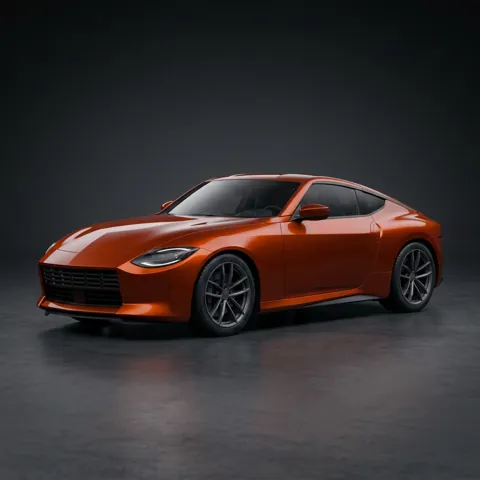
Paint
Color: Pearl White, Black, Nardo Gray, Silver, Candy Red, Racing Blue, Midnight Blue, Racing Green, Teal, Yellow, Orange, Purple, Hot Pink, Gold, Bronze, Olive. Finish: Gloss, Matte, Satin, Chrome, Pearl, Candy, Chameleon. Wrap: Carbon, Camo, Racing Stripes, Livery, Two-tone Roof.
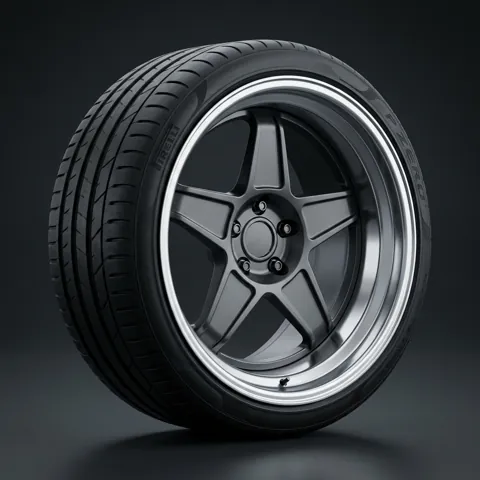
Wheels
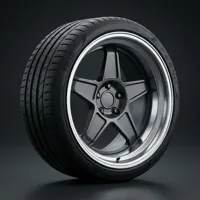
Style: 5-Spoke, Multi-spoke, Mesh, Deep Dish, Split-spoke, Turbofan, Steelies, Wire. Wheel color: Black, Gunmetal, Silver, Bronze, Gold, Chrome, White. Size: +1", +2", Oversized. Tires: Stretched, White Letter, Mud-terrain.
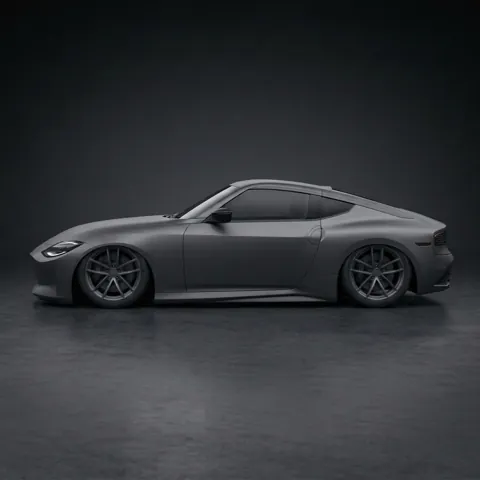
Stance
Lowered, Aggressive, Slammed, Lifted, Camber.
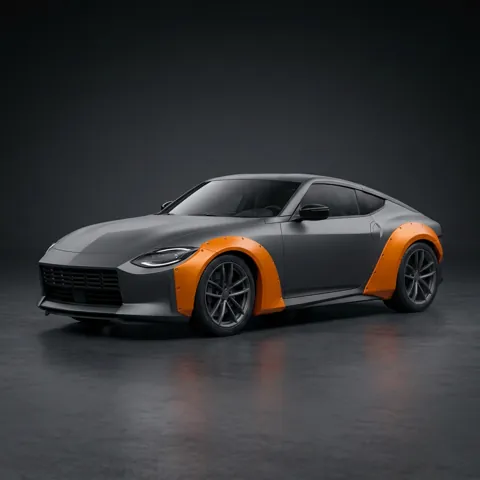
Aero
Front Lip, Splitter, Side Skirts, Diffuser, Canards, Hood Vents, Hood Scoop, Carbon Hood, Widebody.
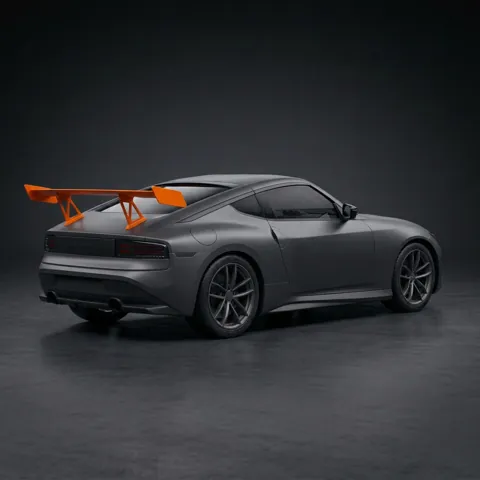
Spoiler
Lip, Ducktail, GT Wing, Chassis Mount, Roof Spoiler.
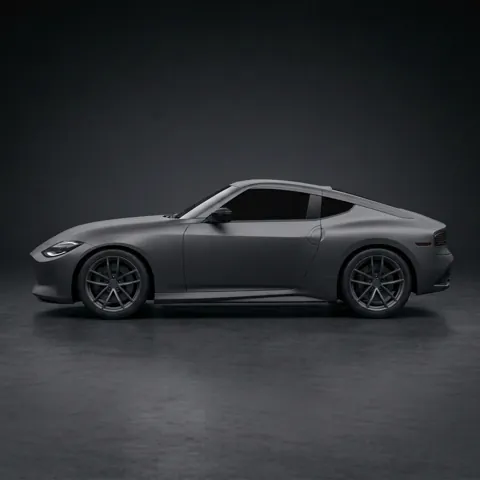
Window Tint
Light, Medium, Limo.
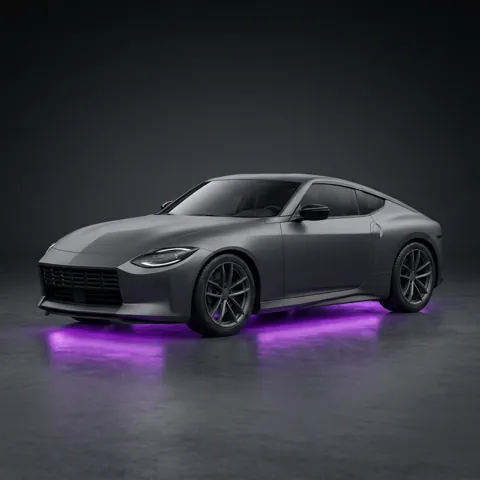
Lights
LED Headlights, Smoked Headlights, Smoked Tail Lights, Halo Rings, Underglow, Light Bar, Yellow Fog Lights. Underglow color: Purple, Blue, Red, Green, White.
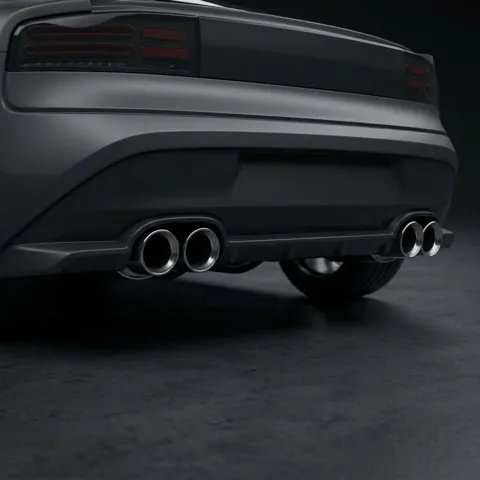
Exhaust
Dual, Quad, Side Exit, Titanium.
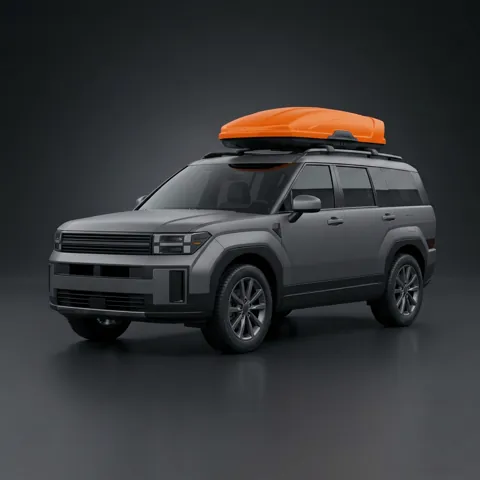
Accessories
Roof Rack, Roof Box, Snorkel, Bull Bar, Tow Hook, Mud Flaps, Fender Mirrors, Hood Pins, Spare Tire.
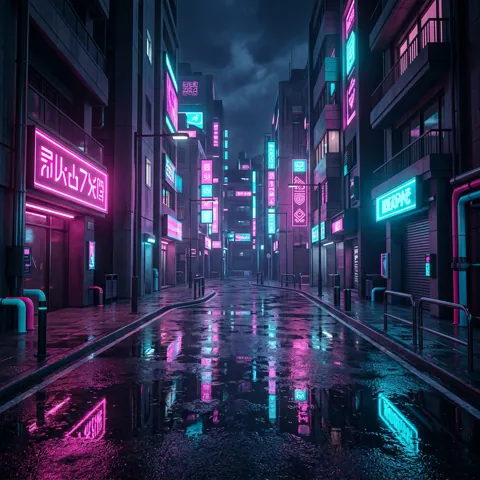
Scene
Neon City, Mountain Road, Studio, Car Show, Race Track, Desert, Wet Street, Coast, Snowy Road.
Your garage, on spec
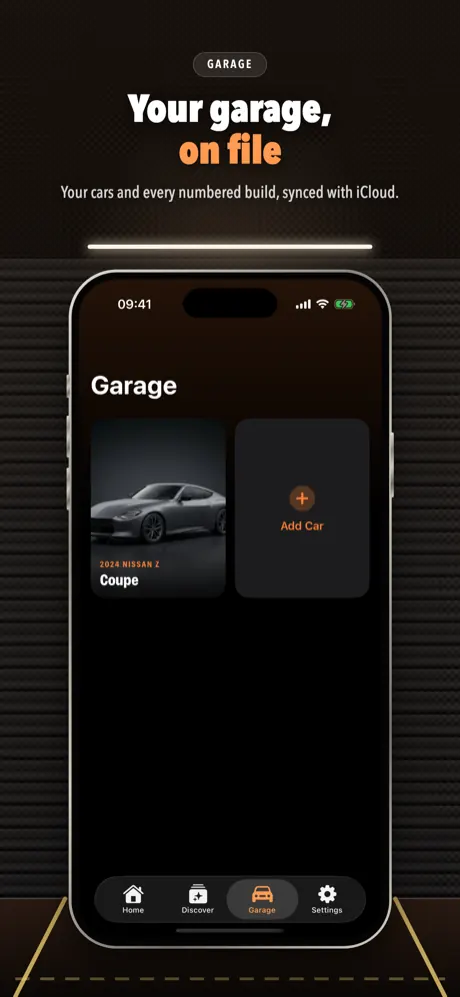
- Vehicle profile: make and model from a list of 52 manufacturers (or type your own), model year, trim and factory color. The profile goes into every edit, so the AI is told to keep your car's body shape, panel lines and light design.
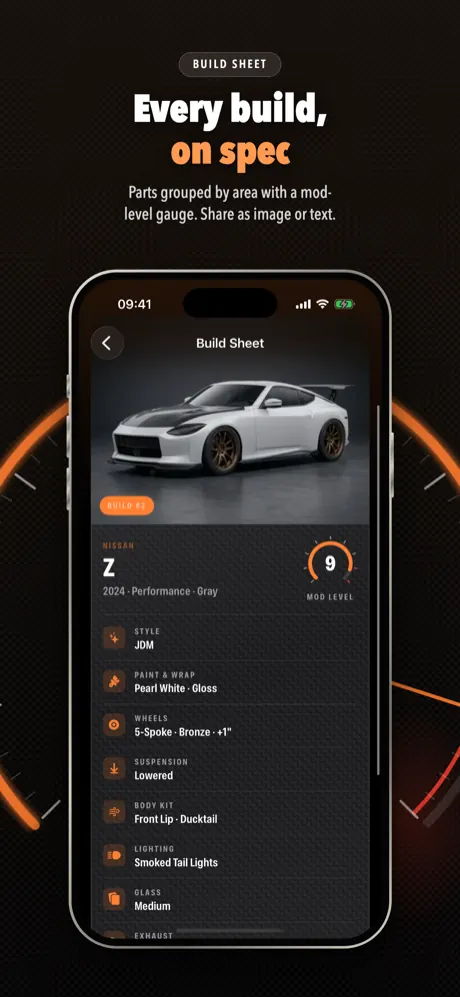
- Build sheet: every build gets a number, your car's spec header, a mod-level tachometer and its parts grouped by area. Share it as an image or as plain text, or save it to Photos.
- Build history: each car keeps a numbered list of its builds with the date, the areas touched and the part count.
- Compare builds: put two builds of the same car side by side or under one slider, with a parts diff: only in A, only in B, and shared.
- Build On: modify a finished build again and keep stacking mods.
- Presets and Discover: save a selection as a preset for any car, or browse styles and 12 ready-made recipes such as Tokyo Night, Track Day and Stealth.
- Share: save in HD, story card, before/after video and wallpaper; plus a Home Screen widget and a Live Activity while a build is generating.
- iCloud sync: cars, photos and builds follow you to your other devices.
At a glance
- Device
- iPhone, iOS 17 or later
- Cars
- several cars per garage (more with Premium), up to 5 photos each
- Styles
- 13 styles and 12 recipes
- Parts
- 10 categories, 105 options, plus photos of your own parts
- Internet
- needed to generate builds; your garage and past builds open offline
- Price
- free download; generating builds needs ModGarage Premium (weekly or yearly)
- Account
- no sign-up; sync uses your own iCloud
- Languages
- English, Turkish, German, French, Spanish, Brazilian Portuguese, Japanese, Korean, Traditional Chinese
Screenshots
Quick answers
What is ModGarage?
ModGarage is an iPhone app that modifies a photo of your own car with AI using 13 styles and 10 part categories. Each car has a vehicle profile, every build gets a numbered build sheet, and builds of the same car can be compared with a parts diff.
Is ModGarage free?
The download is free and there are no ads, but generating builds requires ModGarage Premium; there are no free generations. Premium is weekly or yearly with a daily generation allowance shown in the app, and has no free trial. In the US it is $8.00 a week or $57.90 a year; the App Store shows your local price.
What happens to my car photo?
Your photos are stored on your iPhone and, if iCloud is on, in your private iCloud. When you tap Modify, the selected photo, any part photos you added and a text description of your choices and vehicle profile are sent to the AI provider fal.ai to make the image; the app can also route generation through kie.ai, which deletes uploaded files after about a day. Save in HD sends the build to fal.ai for upscaling. ModGarage has no image servers of its own and keeps no copies. Details: privacy policy.
Does the result still look like my car?
That is the goal: with the vehicle profile filled in, the app tells the AI the year, make, model, trim and factory color and asks it to keep the body shape, panel lines and light design. AI results can still vary, so treat a build as an illustration.
All questions →
Start with the car you drive
One photo, a few parts, and you see the build before you order anything.
Coming soon to the App Store